Create Read Update Delete PHP
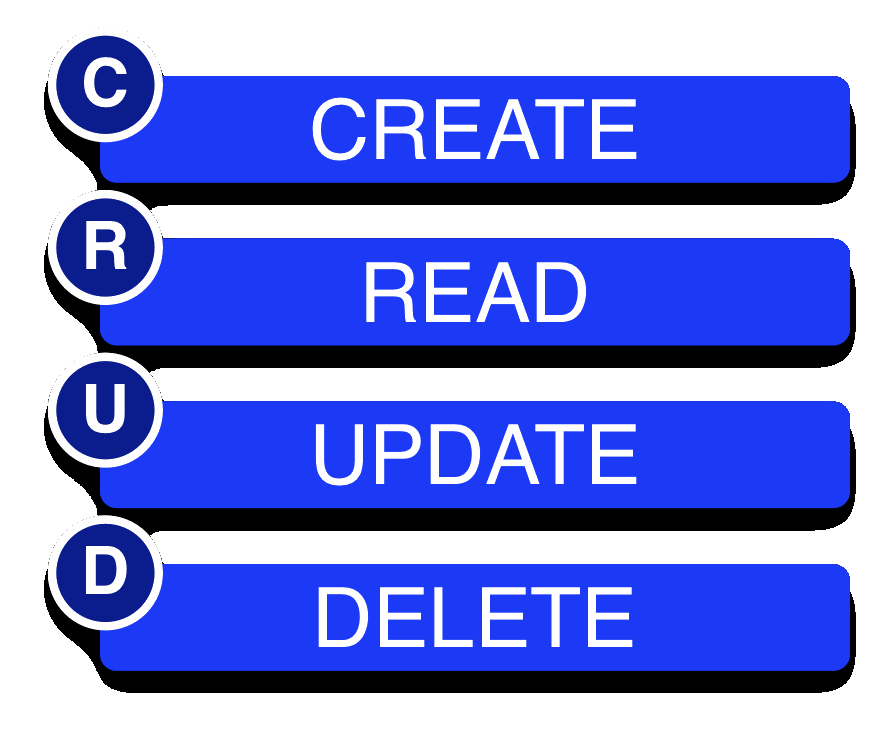
Berikut tutorial pembuatan dasar CRUD di PHP
native version silahkan di coba
Pertama buat database
--
-- Table structure for table `players`
--

CREATE TABLE `players` (
 `id` int(11) NOT NULL auto_increment,
 `firstname` varchar(32) NOT NULL,
 `lastname` varchar(32) NOT NULL,
 PRIMARY KEY (`id`)
) ENGINE=MyISAM DEFAULT CHARSET=latin1 AUTO_INCREMENT=5 ;

--
-- Dumping data for table `players`
--

INSERT INTO `players` VALUES(1, 'Bob', 'Baker');
INSERT INTO `players` VALUES(2, 'Tim', 'Thomas');
INSERT INTO `players` VALUES(3, 'Rachel', 'Roberts');
INSERT INTO `players` VALUES(4, 'Sam', 'Smith');
Kedua buat file koneksi ke database connect-db.php
<?php
/*
 CONNECT-DB.PHP
 Allows PHP to connect to your database
*/

 // Database Variables (edit with your own server information)
 $server = 'localhost';
 $user = 'root';
 $pass = 'root';
 $db = 'records';

 // Connect to Database
 $connection = mysql_connect($server, $user, $pass)
 or die ("Could not connect to server ... \n" . mysql_error ());
 mysql_select_db($db)
 or die ("Could not connect to database ... \n" . mysql_error ());


?>
Ketiga, buat file view.php untuk menampilkan hasil dari database
<!DOCTYPE HTML PUBLIC "-//W3C//DTD HTML 4.01//EN" "http://www.w3.org/TR/html4/strict.dtd">
<html>
<head>
 <title>View Records</title>
</head>
<body>

<?php
/*
 VIEW.PHP
 Displays all data from 'players' table
*/

 // connect to the database
 include('connect-db.php');

 // get results from database
 $result = mysql_query("SELECT * FROM players")
  or die(mysql_error());

 // display data in table
 echo "<p><b>View All</b> | <a href='view-paginated.php?page=1'>View Paginated</a></p>";

 echo "<table border='1' cellpadding='10'>";
 echo "<tr> <th>ID</th> <th>First Name</th> <th>Last Name</th> <th></th> <th></th></tr>";

 // loop through results of database query, displaying them in the table
 while($row = mysql_fetch_array( $result )) {

  // echo out the contents of each row into a table
  echo "<tr>";
  echo '<td>' . $row['id'] . '</td>';
  echo '<td>' . $row['firstname'] . '</td>';
  echo '<td>' . $row['lastname'] . '</td>';
  echo '<td><a href="edit.php?id=' . $row['id'] . '">Edit</a></td>';
  echo '<td><a href="delete.php?id=' . $row['id'] . '">Delete</a></td>';
  echo "</tr>";
 }

 // close table>
 echo "</table>";
?>
<p><a href="new.php">Add a new record</a></p>

</body>
</html>
view-paginated.php untuk menampilkan data dengan paging
<!DOCTYPE HTML PUBLIC "-//W3C//DTD HTML 4.01//EN" "http://www.w3.org/TR/html4/strict.dtd">
<html>
<head>
 <title>View Records</title>
</head>
<body>

<?php
/*
 VIEW-PAGINATED.PHP
 Displays all data from 'players' table
 This is a modified version of view.php that includes pagination
*/

 // connect to the database
 include('connect-db.php');

 // number of results to show per page
 $per_page = 3;

 // figure out the total pages in the database
 $result = mysql_query("SELECT * FROM players");
 $total_results = mysql_num_rows($result);
 $total_pages = ceil($total_results / $per_page);

 // check if the 'page' variable is set in the URL (ex: view-paginated.php?page=1)
 if (isset($_GET['page']) && is_numeric($_GET['page']))
 {
  $show_page = $_GET['page'];

  // make sure the $show_page value is valid
  if ($show_page > 0 && $show_page <= $total_pages)
  {
   $start = ($show_page -1) * $per_page;
   $end = $start + $per_page;
  }
  else
  {
   // error - show first set of results
   $start = 0;
   $end = $per_page;
  }
 }
 else
 {
  // if page isn't set, show first set of results
  $start = 0;
  $end = $per_page;
 }

 // display pagination

 echo "<p><a href='view.php'>View All</a> | <b>View Page:</b> ";
 for ($i = 1; $i <= $total_pages; $i++)
 {
  echo "<a href='view-paginated.php?page=$i'>$i</a> ";
 }
 echo "</p>";

 // display data in table
 echo "<table border='1' cellpadding='10'>";
 echo "<tr> <th>ID</th> <th>First Name</th> <th>Last Name</th> <th></th> <th></th></tr>";

 // loop through results of database query, displaying them in the table
 for ($i = $start; $i < $end; $i++)
 {
  // make sure that PHP doesn't try to show results that don't exist
  if ($i == $total_results) { break; }

  // echo out the contents of each row into a table
  echo "<tr>";
  echo '<td>' . mysql_result($result, $i, 'id') . '</td>';
  echo '<td>' . mysql_result($result, $i, 'firstname') . '</td>';
  echo '<td>' . mysql_result($result, $i, 'lastname') . '</td>';
  echo '<td><a href="edit.php?id=' . mysql_result($result, $i, 'id') . '">Edit</a></td>';
  echo '<td><a href="delete.php?id=' . mysql_result($result, $i, 'id') . '">Delete</a></td>';
  echo "</tr>";
 }
 // close table>
 echo "</table>";

 // pagination

?>
<p><a href="new.php">Add a new record</a></p>

</body>
</html>
Ke-empat buat file new.php untuk menambahkan record
<?php
/*
 NEW.PHP
 Allows user to create a new entry in the database
*/

 // creates the new record form
 // since this form is used multiple times in this file, I have made it a function that is easily reusable
 function renderForm($first, $last, $error)
 {
 ?>
 <!DOCTYPE HTML PUBLIC "-//W3C//DTD HTML 4.01//EN" "http://www.w3.org/TR/html4/strict.dtd">
 <html>
 <head>
 <title>New Record</title>
 </head>
 <body>
 <?php
 // if there are any errors, display them
 if ($error != '')
 {
 echo '<div style="padding:4px; border:1px solid red; color:red;">'.$error.'</div>';
 }
 ?>

 <form action="" method="post">
 <div>
 <strong>First Name: *</strong> <input type="text" name="firstname" value="<?php echo $first; ?>" /><br/>
 <strong>Last Name: *</strong> <input type="text" name="lastname" value="<?php echo $last; ?>" /><br/>
 <p>* required</p>
 <input type="submit" name="submit" value="Submit">
 </div>
 </form>
 </body>
 </html>
 <?php
 }


 // connect to the database
 include('connect-db.php');

 // check if the form has been submitted. If it has, start to process the form and save it to the database
 if (isset($_POST['submit']))
 {
 // get form data, making sure it is valid
 $firstname = mysql_real_escape_string(htmlspecialchars($_POST['firstname']));
 $lastname = mysql_real_escape_string(htmlspecialchars($_POST['lastname']));

 // check to make sure both fields are entered
 if ($firstname == '' || $lastname == '')
 {
 // generate error message
 $error = 'ERROR: Please fill in all required fields!';

 // if either field is blank, display the form again
 renderForm($firstname, $lastname, $error);
 }
 else
 {
 // save the data to the database
 mysql_query("INSERT players SET firstname='$firstname', lastname='$lastname'")
 or die(mysql_error());

 // once saved, redirect back to the view page
 header("Location: view.php");
 }
 }
 else
 // if the form hasn't been submitted, display the form
 {
 renderForm('','','');
 }
?>
ke-lima buat file edit.php untuk mengubah field record
<?php
/*
 EDIT.PHP
 Allows user to edit specific entry in database
*/

 // creates the edit record form
 // since this form is used multiple times in this file, I have made it a function that is easily reusable
 function renderForm($id, $firstname, $lastname, $error)
 {
 ?>
 <!DOCTYPE HTML PUBLIC "-//W3C//DTD HTML 4.01//EN" "http://www.w3.org/TR/html4/strict.dtd">
 <html>
 <head>
 <title>Edit Record</title>
 </head>
 <body>
 <?php
 // if there are any errors, display them
 if ($error != '')
 {
 echo '<div style="padding:4px; border:1px solid red; color:red;">'.$error.'</div>';
 }
 ?>

 <form action="" method="post">
 <input type="hidden" name="id" value="<?php echo $id; ?>"/>
 <div>
 <p><strong>ID:</strong> <?php echo $id; ?></p>
 <strong>First Name: *</strong> <input type="text" name="firstname" value="<?php echo $firstname; ?>"/><br/>
 <strong>Last Name: *</strong> <input type="text" name="lastname" value="<?php echo $lastname; ?>"/><br/>
 <p>* Required</p>
 <input type="submit" name="submit" value="Submit">
 </div>
 </form>
 </body>
 </html>
 <?php
 }


 // connect to the database
 include('connect-db.php');

 // check if the form has been submitted. If it has, process the form and save it to the database
 if (isset($_POST['submit']))
 {
 // confirm that the 'id' value is a valid integer before getting the form data
 if (is_numeric($_POST['id']))
 {
 // get form data, making sure it is valid
 $id = $_POST['id'];
 $firstname = mysql_real_escape_string(htmlspecialchars($_POST['firstname']));
 $lastname = mysql_real_escape_string(htmlspecialchars($_POST['lastname']));

 // check that firstname/lastname fields are both filled in
 if ($firstname == '' || $lastname == '')
 {
 // generate error message
 $error = 'ERROR: Please fill in all required fields!';

 //error, display form
 renderForm($id, $firstname, $lastname, $error);
 }
 else
 {
 // save the data to the database
 mysql_query("UPDATE players SET firstname='$firstname', lastname='$lastname' WHERE id='$id'")
 or die(mysql_error());

 // once saved, redirect back to the view page
 header("Location: view.php");
 }
 }
 else
 {
 // if the 'id' isn't valid, display an error
 echo 'Error!';
 }
 }
 else
 // if the form hasn't been submitted, get the data from the db and display the form
 {

 // get the 'id' value from the URL (if it exists), making sure that it is valid (checing that it is numeric/larger than 0)
 if (isset($_GET['id']) && is_numeric($_GET['id']) && $_GET['id'] > 0)
 {
 // query db
 $id = $_GET['id'];
 $result = mysql_query("SELECT * FROM players WHERE id=$id")
 or die(mysql_error());
 $row = mysql_fetch_array($result);

 // check that the 'id' matches up with a row in the databse
 if($row)
 {

 // get data from db
 $firstname = $row['firstname'];
 $lastname = $row['lastname'];

 // show form
 renderForm($id, $firstname, $lastname, '');
 }
 else
 // if no match, display result
 {
 echo "No results!";
 }
 }
 else
 // if the 'id' in the URL isn't valid, or if there is no 'id' value, display an error
 {
 echo 'Error!';
 }
 }
?>
ke-enam buat file delete.php untuk menghapus field record
<?php
/*
 DELETE.PHP
 Deletes a specific entry from the 'players' table
*/

 // connect to the database
 include('connect-db.php');

 // check if the 'id' variable is set in URL, and check that it is valid
 if (isset($_GET['id']) && is_numeric($_GET['id']))
 {
 // get id value
 $id = $_GET['id'];

 // delete the entry
 $result = mysql_query("DELETE FROM players WHERE id=$id")
 or die(mysql_error());

 // redirect back to the view page
 header("Location: view.php");
 }
 else
 // if id isn't set, or isn't valid, redirect back to view page
 {
 header("Location: view.php");
 }

?>
silahkan di coba :)
jika ada pertanyaan silahkan komeng di bawah ini
sumur



Comments
Post a Comment